Tasks
A task is a defined unit of work assigned to a specific person or team, aimed at completing a particular action, such as campaign optimization, KPI analysis, or implementing changes in advertising account settings.
To better match different ways of working, tasks can be displayed in several views:
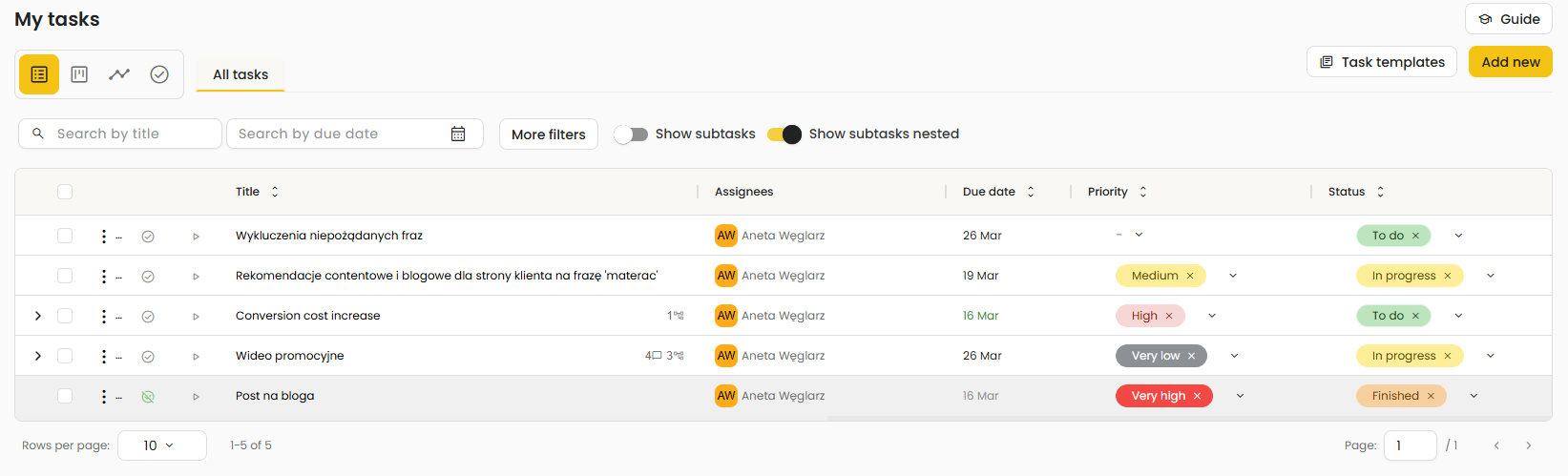
- list view – presents tasks in a table format with the most important parameters, enabling quick filtering, searching, sorting, and bulk management of records,
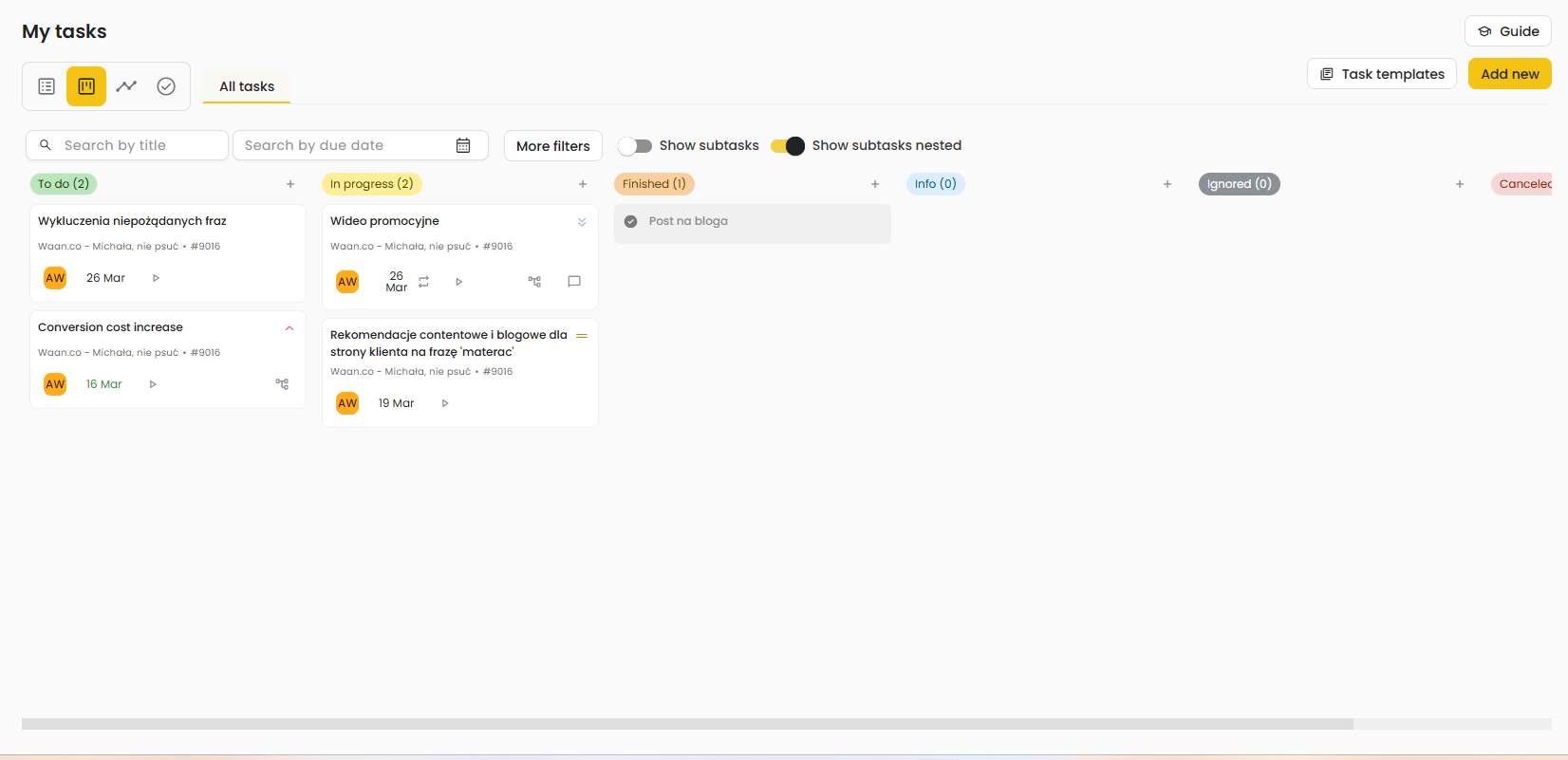
- board view – groups tasks by status, such as New, In Progress, Completed, Information, Ignored, or Cancelled, making it easy to track progress and manage workflow,
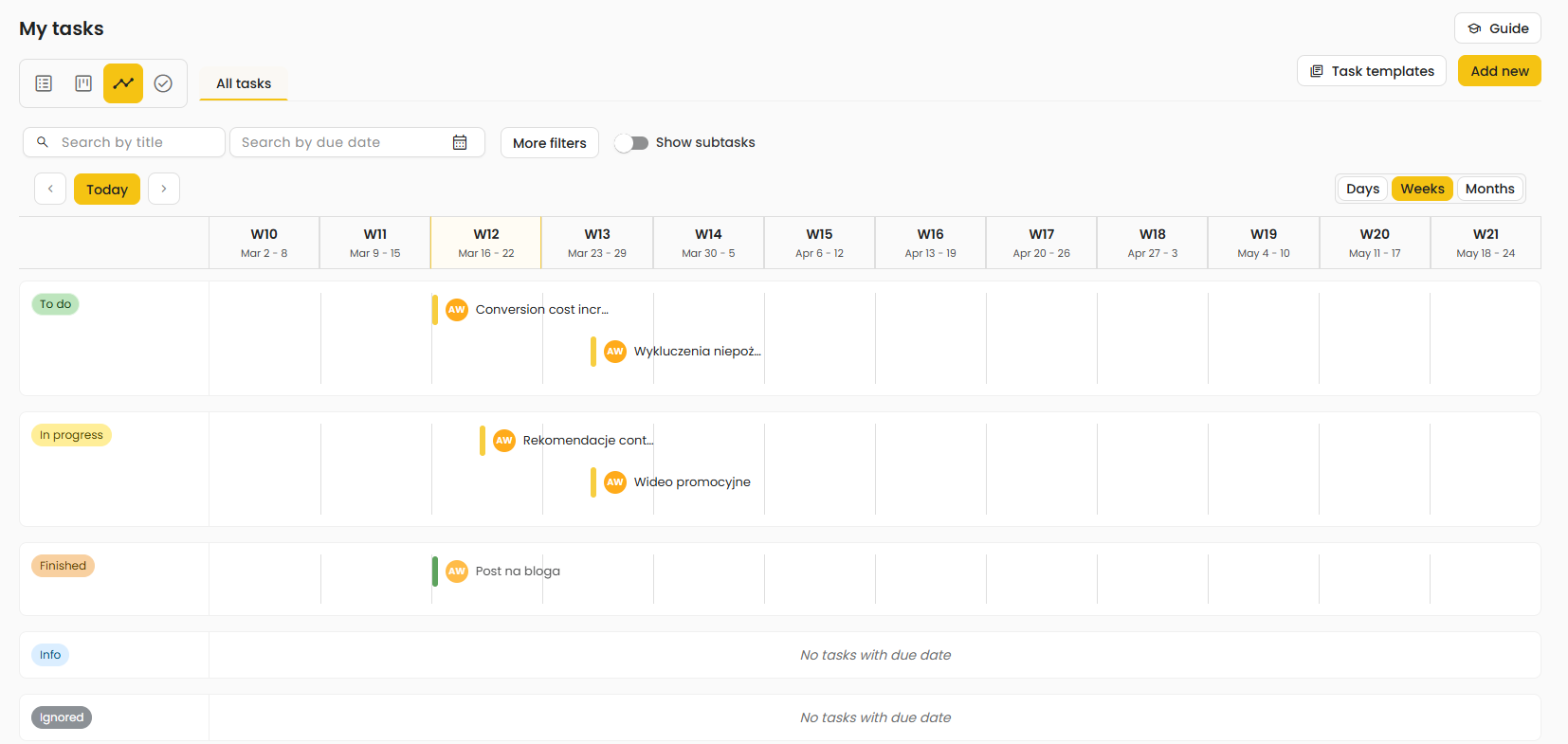
- timeline / schedule view – displays tasks in a time-based layout, for example weekly or monthly, which helps with planning deadlines, analyzing workload, and monitoring execution over time.
Automatic task generation |
Automatic task creation is based on processes and workflows that monitor data and events within your ad account. When the system detects a situation that meets predefined conditions, it automatically generates a task to be completed. These tasks are useful for routine monitoring—for example, tracking changes in campaign metrics, surfacing budget optimization recommendations, or detecting technical issues (e.g., 404 errors).
Types of automatic tasks:
- Process-triggered - once a process is started, the system creates an automatic task when an event is detected.
- Workflow-triggered -once a workflow is started, the system creates an automatic task when an event is detected.
- Summary-triggered - after a summary report is defined, the system periodically creates a task to review and approve the generated report.
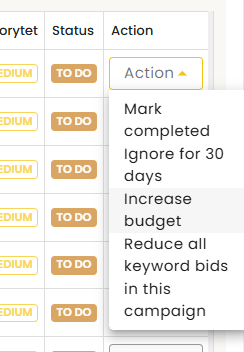
Additionally, each automatic task includes suggested actions to take practical recommendations on what to do in response to the detected event.
Manual task creation |
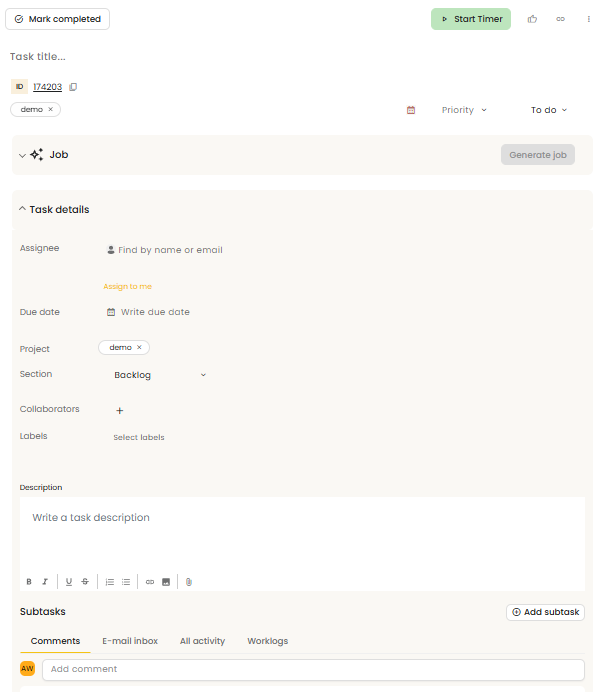
Manual task creation is the process of adding tasks from scratch by the user, without using automation. It is especially useful for non-standard, one-off activities or tasks that require an individual approach, such as preparing a blog post, analyzing an issue, or assigning a specific optimization.
When creating a task, the user fills in its key details, such as the title, status, priority, due date, assignee, project, section, and labels. They can also add a task description, collaborators, and subtasks, which helps organize the work more effectively and define the scope more clearly.
After a task is created, the user can also track time, add comments, send emails within the task, monitor the full activity history, and maintain a work log. This makes the task a central place for managing execution, communication, and progress tracking.
Jobs in Tasks - AI Automation |
The Job section is AI-powered and generates a structured workflow based on the information available in a task. The system creates a job a step-by-step plan that outlines the actions a marketer should take to complete the task and then uses this workflow as a prompt, enabling Marketer AI to provide concrete suggestions and actionable recommendations. This option is available for both manual and automated tasks.
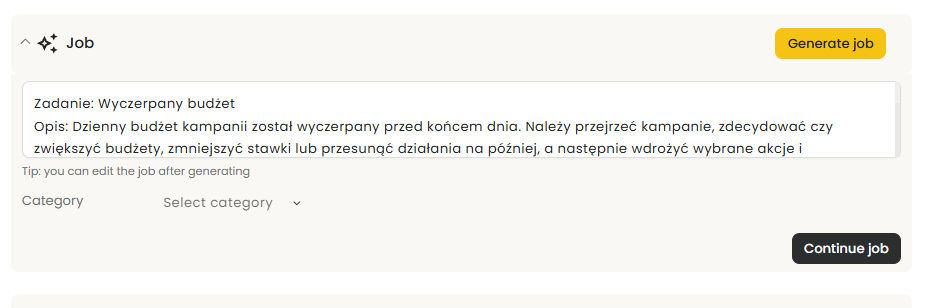
When you proceed with a generated job by clicking the Continue job button, the system redirects you to Marketer AI, where a proposed solution for the task is prepared.
Was this article helpful?
That’s Great!
Thank you for your feedback
Sorry! We couldn't be helpful
Thank you for your feedback
Feedback sent
We appreciate your effort and will try to fix the article