What is Sembot? |
Sembot is an advanced solution designed to automate and streamline the daily tasks of marketers by integrating key processes into a single platform. It offers a wide range of functionalities across e-commerce, PPC, SEO, and analytics, eliminating the need to juggle multiple tools or browser tabs. With Sembot, you can comprehensively monitor and analyze advertising performance across Google, Microsoft, and Facebook platforms, optimize product feeds for over 50 advertising channels, and significantly boost efficiency through intelligent automation.
Product Feed Optimization |
Sembot provides powerful capabilities for product feed optimization, including:
- Manual and Bulk Edits
You can edit individual products or apply bulk updates using filters and rules, giving you full control over your feed structure and data.
- Automated Optimization Rules
Rules are triggered with every feed update, new products are automatically adjusted based on defined filter criteria, ensuring ongoing optimization without manual intervention.
- Product Duplication
Create copies of existing products with the ability to modify elements such as titles, images, or descriptions. This feature enables:
- Better alignment of offers with user queries (leading to higher Quality Scores)
- Full keyword variant coverage
- Advanced segmentation of product campaigns by keyword specificity and differentiated bidding
- A/B testing of various offer components (e.g., titles, images, descriptions)
- Dynamic Product Labeling
Set up rules to automatically tag products based on campaign performance—for example, assigning a “Bestseller” label to products with at least 3 conversions in the past 7 days.
Campaign Generation |
Sembot enables fast and efficient creation of advertising campaigns for Google and Microsoft. It allows for precise product filtering based on standard attributes, performance metrics, price positioning, and keyword rankings.
Key Features:
- Advanced Campaign Segmentation - Segment campaigns based on product characteristics, keyword intent, or performance data to maximize relevance and control.
- SPAG Structures - Create Single Product Ad Groups (SPAG) to achieve highly targeted campaign setups and improved Quality Scores.
- Text Ad Generation from Product Feed - Automatically generate tailored ad copy directly from your product feed, ensuring consistency and relevance.
- Support for Multiple Campaign Types - Launch Performance Max, Search, Brand, and Dynamic Search Ads (DSA) campaigns with ease - directly from the platform.
Creating Product Feeds for Advertising Channels |
With Sembot, you can quickly create product feeds tailored to the specifications of over 50 popular advertising platforms, including Google, Facebook, Microsoft, Criteo, Empik, and many more.
Competitor Tracking |
Position Tracking Module
The Position Tracking Module offers advanced capabilities for monitoring your store’s visibility and competitive standing in Google search results. It supports real-time analysis of both organic rankings and paid placements, including text ads and Product Listing Ads (PLAs). You can also track your competitors’ visibility, giving you a comprehensive view of your market landscape. This feature is vital for managing your presence in search engines effectively. By continuously tracking changes in rankings, you can assess the performance of your SEO and PPC strategies and make informed, data-driven decisions to improve your visibility and results.
Competitor Price Monitoring
Sembot also includes powerful tools for tracking competitor pricing. Using GTIN codes or product title matching, it automatically identifies equivalent competitor listings and delivers accurate price comparisons. All pricing data is stored and presented through dynamic visualizations, making it easy to follow pricing trends over time, both in your own store and among competitors. Within the “Products” tab, you’ll find additional columns such as rank price, price difference, and competitor lowest price, which help guide feed optimization and support more strategic pricing decisions.
Advertising Account Management Automation |
Marketer AI |
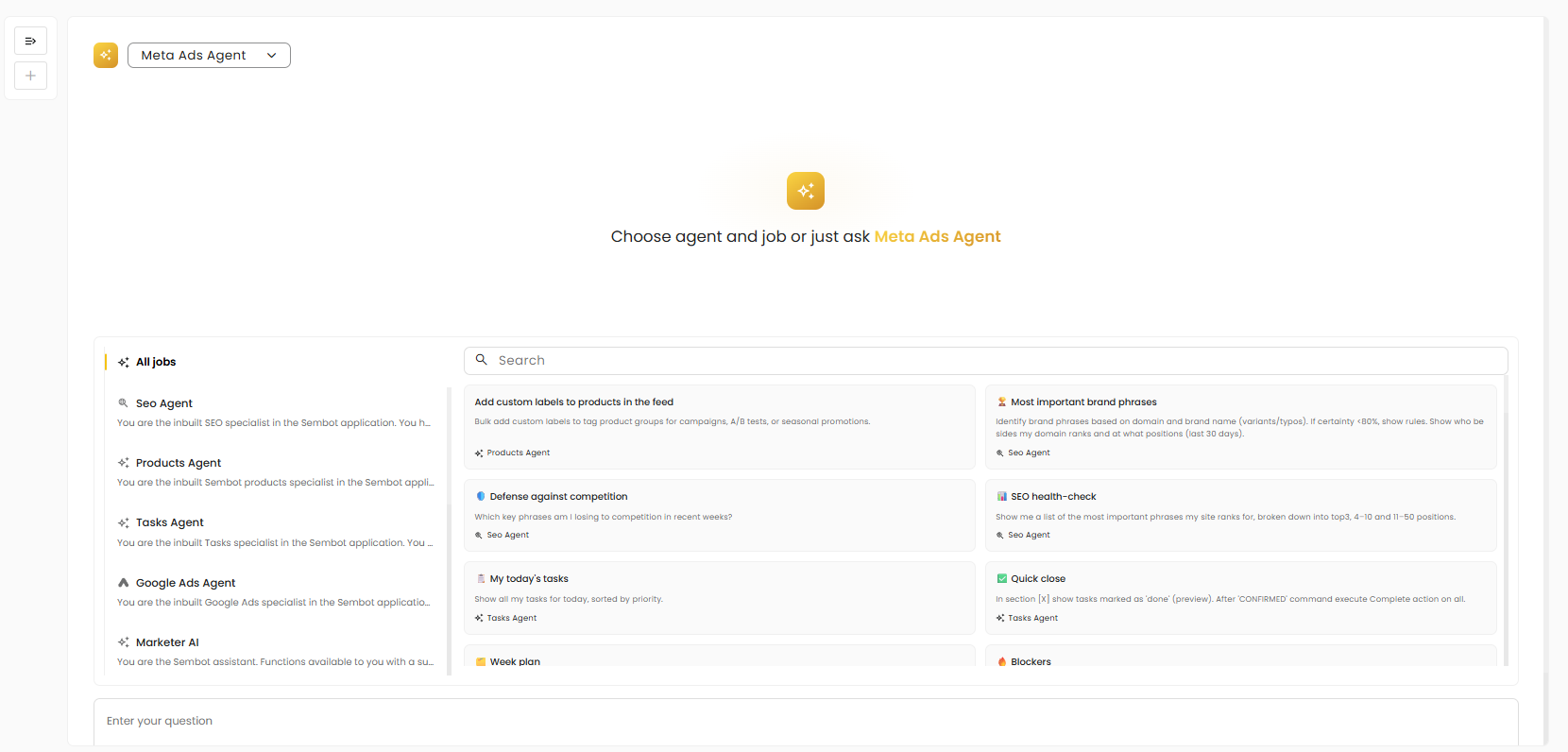
Marketer AI is an interactive AI assistant built into the platform, designed to support marketers in their daily tasks, from answering questions and creating content to executing specific marketing activities.
You can use it in two ways.
- The first is a standard conversation: you type a question or instruction and receive a response. Marketer AI automatically pulls the relevant context from the knowledge base and tailors the answer to your specific situation.
- The second is working with jobs: which is useful when you have a specific, repeatable task to complete. A job is a predefined instruction for the agent, it describes what needs to be done, in what context, and what the expected outcome is. Jobs are organized into categories that reflect the types of tasks in your workspace, such as managing Microsoft Ads campaigns, creating content, or launching automated workflows. Instead of describing the same task every time, you simply select a category, run a job, and the agent knows exactly what to do.
Regardless of the mode, Marketer AI uses information stored in the knowledge base such as client data, goals, strategy, and project guidelines. This ensures that its responses are specific and tailored to your context, rather than generic.
Knowladge Base |

Process |
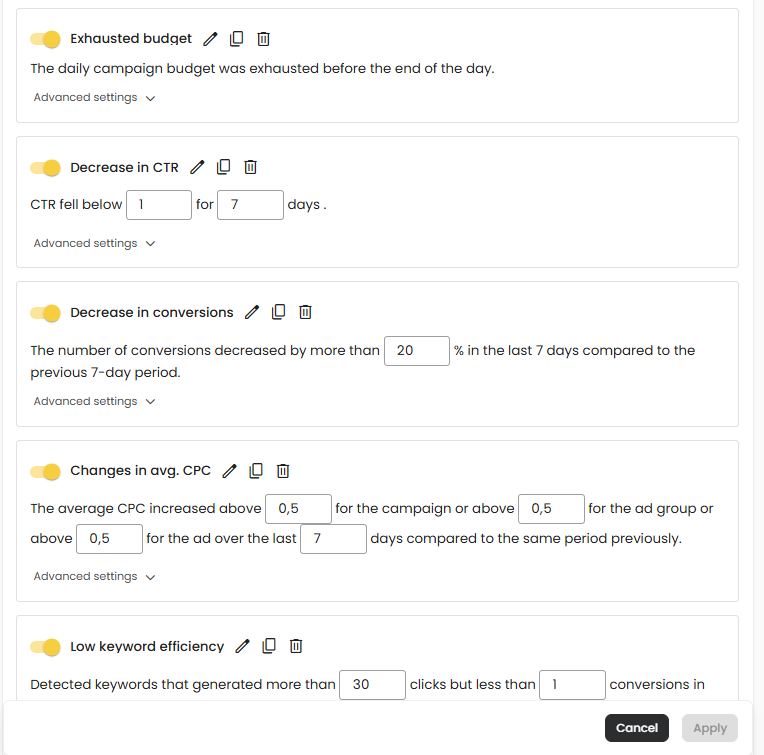
Processes are sets of logically connected operations that run automatically based on specific conditions and events in the system (e.g., a CTR drop, budget overspend, ad disapprovals, broken links, or sudden performance changes).
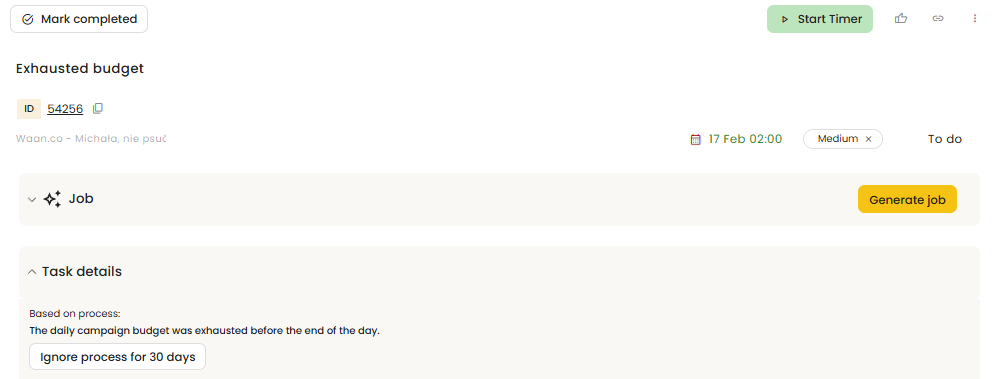
Each process monitors data in real time and analyzes the current situation within an ad account (e.g., Google Ads). When a defined event is detected, the system automatically responds — the user receives a notification, and an additional system task is created in the Tasks (beta) module.
This task includes full context and system-recommended next steps that the user can take to resolve the issue or optimize performance. As a result, processes not only detect problems and optimization opportunities, but also actively support users in taking concrete actions.
Workflows |
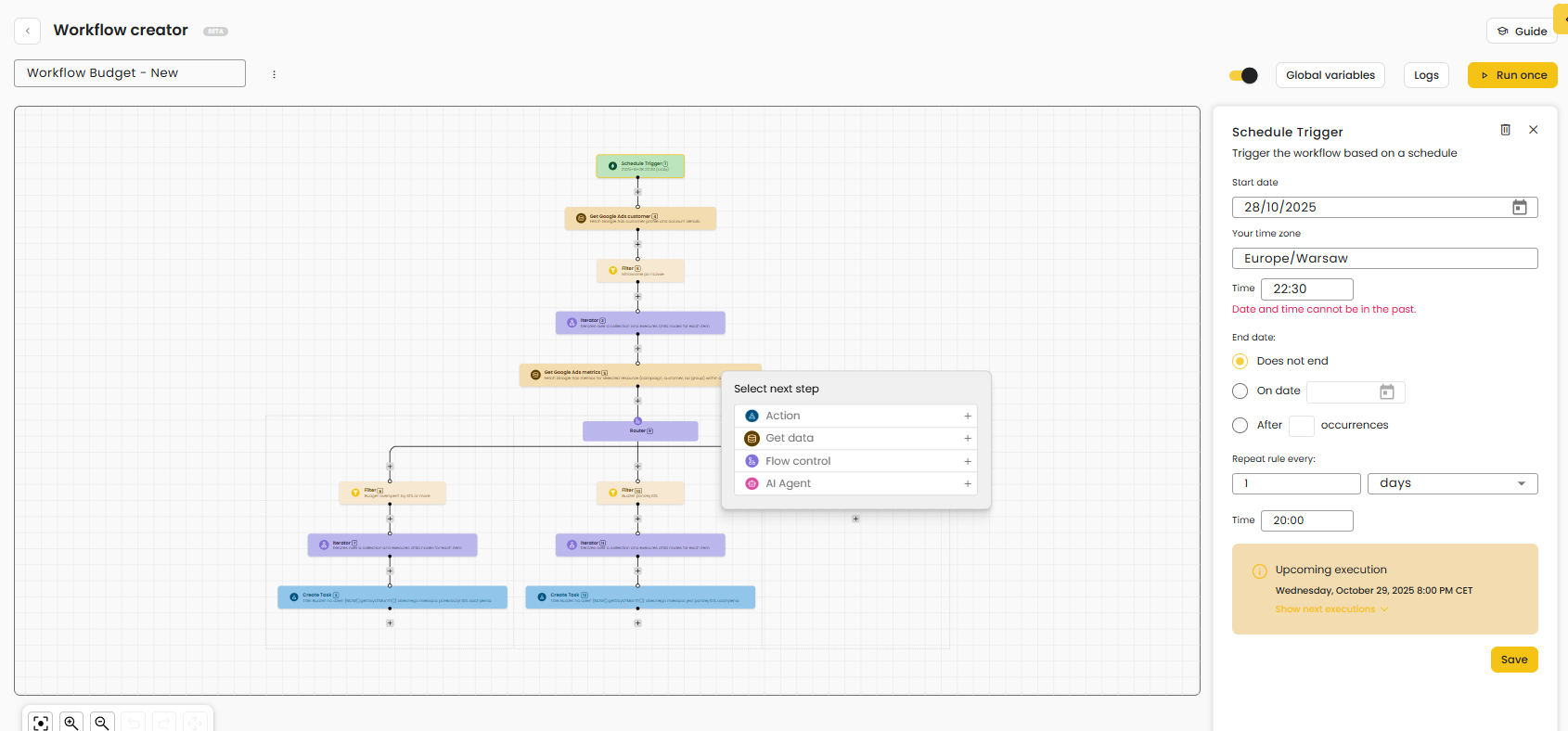
The Workflows module is a tool that allows users to independently build automated verification paths for events and system reactions based on data from connected sources and other modules available in the platform. This makes it possible to create custom rules and logic without any programming. Workflows operate as a visual builder, where users design processes step by step using blocks.
With this approach, users can create workflows tailored to their specific needs — for example, daily budget monitoring, campaign quality checks, error validation, or anomaly detection in performance results.
Workflows enable users to build their own control and response paths, helping automate repetitive actions, detect issues faster, and manage advertising accounts more effectively based on their own rules.
Task managament |
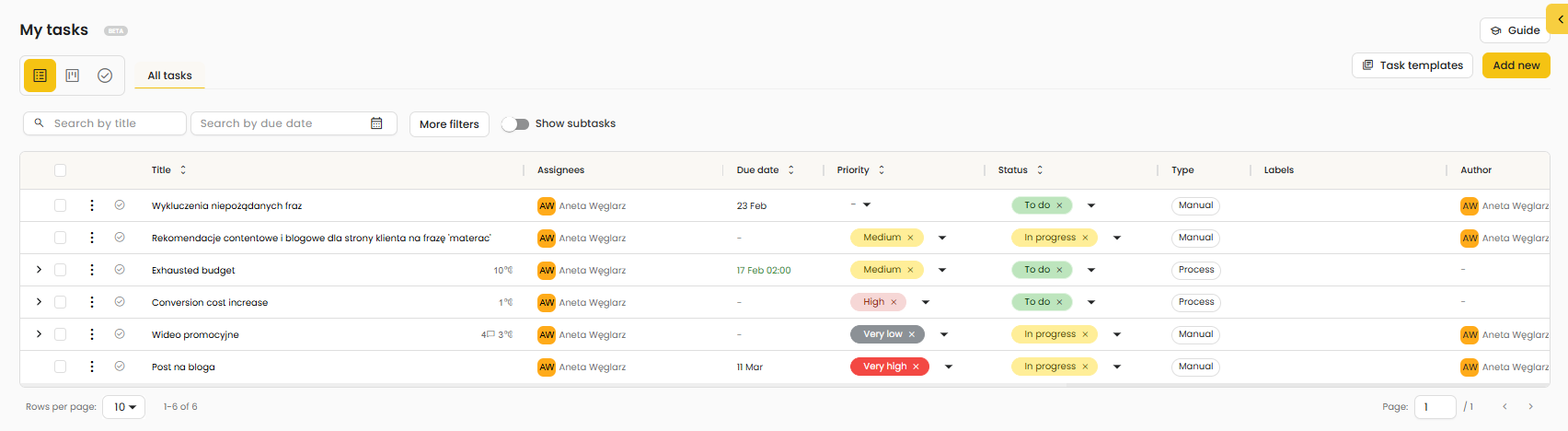
Tasks are specific actions assigned to a user or team to help organize work and effectively execute marketing activities. In Sembot, tasks can be created in three ways:
1) Manual
Tasks created manually by the user for non-standard, strategic, or one-time activities (e.g., competitor analysis, campaign strategy changes, launching new creatives).
2) Process-based
Tasks generated through the Processes module, which monitors data and detects specific events in advertising accounts (e.g., ROAS decline, drop in conversions, budget overspend, ad errors).
When predefined conditions are met, the system automatically creates a task, assigns it to the appropriate person or team, and provides full context of the situation.
3) Summaries
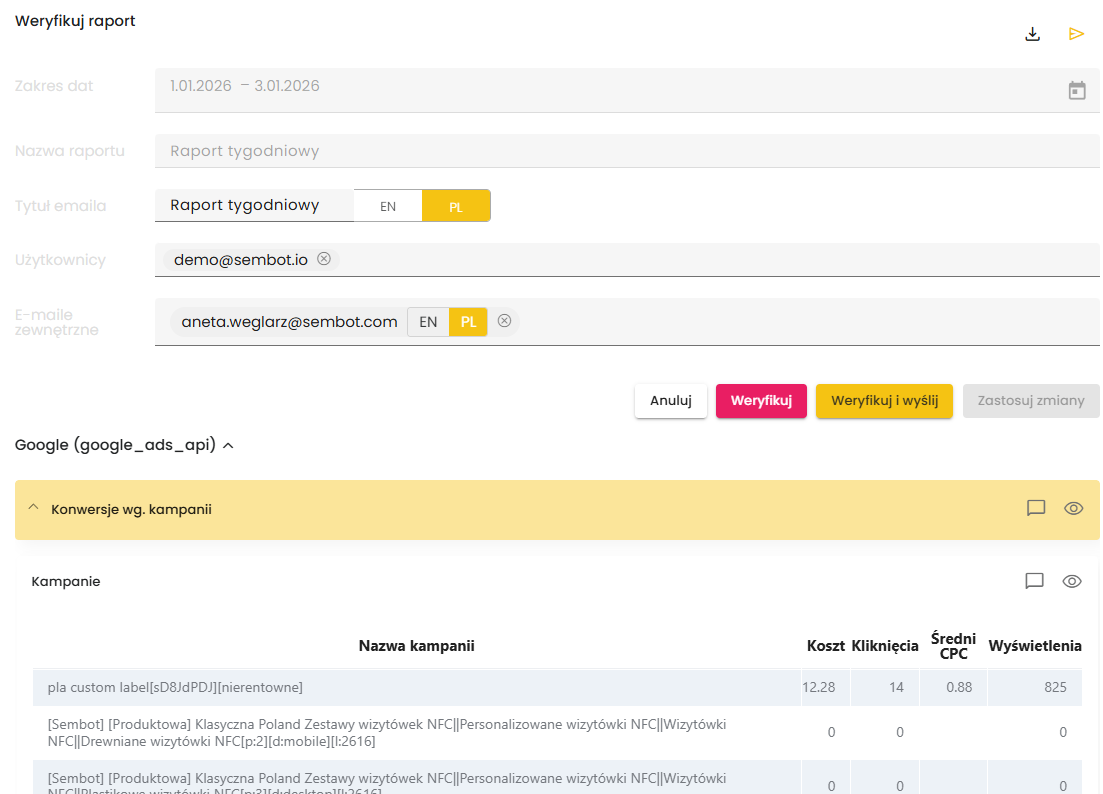
Tasks created based on the Summaries module, which enables the generation of regular performance reports (e.g., weekly or monthly account summaries).
AI-Enhanced Tasks
Every task in Sembot is supported by artificial intelligence. Once a task is created, the system can generate a so-called job, a structured workflow path designed to lead to the task’s resolution.
At the next stage, the task along with its job can be passed to Marketer AI, which analyzes the available data and suggests specific solutions and next steps. As a result, tasks become more than just organizational tools, they provide real support in decision-making and marketing performance optimization.
Analytics Dashboard and automated reports |

Website Quality Analysis |
Website Quality Analysis supports the optimization of your site's marketing effectiveness. Using advanced analytical features, this module provides insights that help improve search visibility, refine advertising strategies, and enhance overall content quality.

Was this article helpful?
That’s Great!
Thank you for your feedback
Sorry! We couldn't be helpful
Thank you for your feedback
Feedback sent
We appreciate your effort and will try to fix the article