Workflows
The Workflows module is a tool that enables users to build automated verification paths for events and define responses to data coming from connected sources and other modules available in the panel. It allows users to create their own rules and system logic without any programming.
Workflows operates as a visual builder: users arrange a process as a sequence of steps (blocks) and connect them into a consistent scenario. This makes it possible to create workflows tailored to organizational needs, such as:
daily budget monitoring,
campaign quality checks,
validation of errors and inconsistencies,
anomaly detection in performance results.
As a result, Workflows supports automation of repetitive activities, faster issue detection, and more effective management of advertising accounts based on custom rules.

Creating a Workflow |
To create a workflow, open the Workflows module, click “Add workflow”, and assign a name that clearly describes the purpose of the process (e.g., budget monitoring, campaign quality control).
In the workflow creator, users add subsequent steps by selecting a block type in the “Select next step” dialog. Available categories include:
Trigger – starts the workflow (e.g., based on a schedule),
Action – performs an operation in the system,
Get data – retrieves data from sources/connections,
Flow control – defines conditions, branches, and flow logic,
AI Agent – uses an AI agent as part of the process.
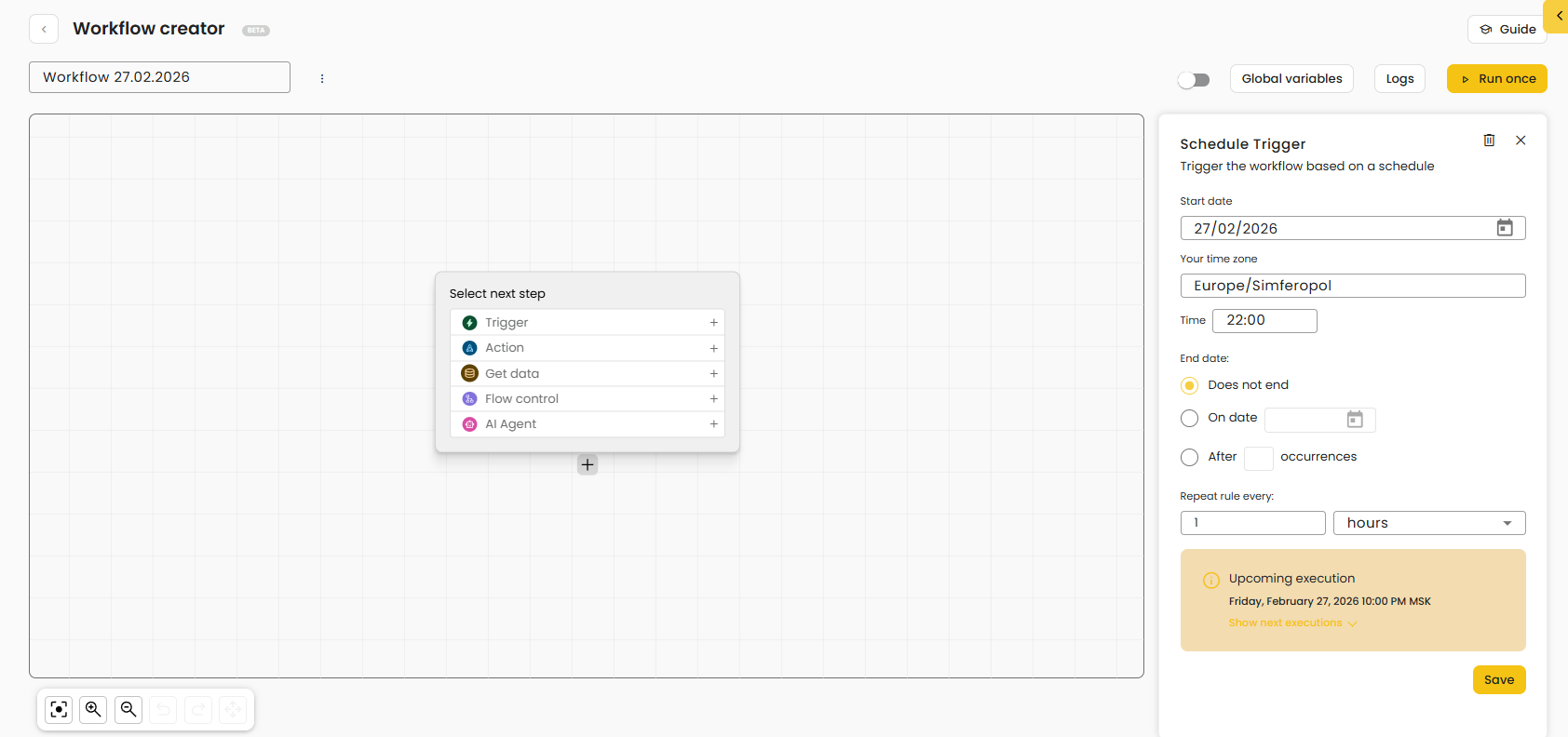
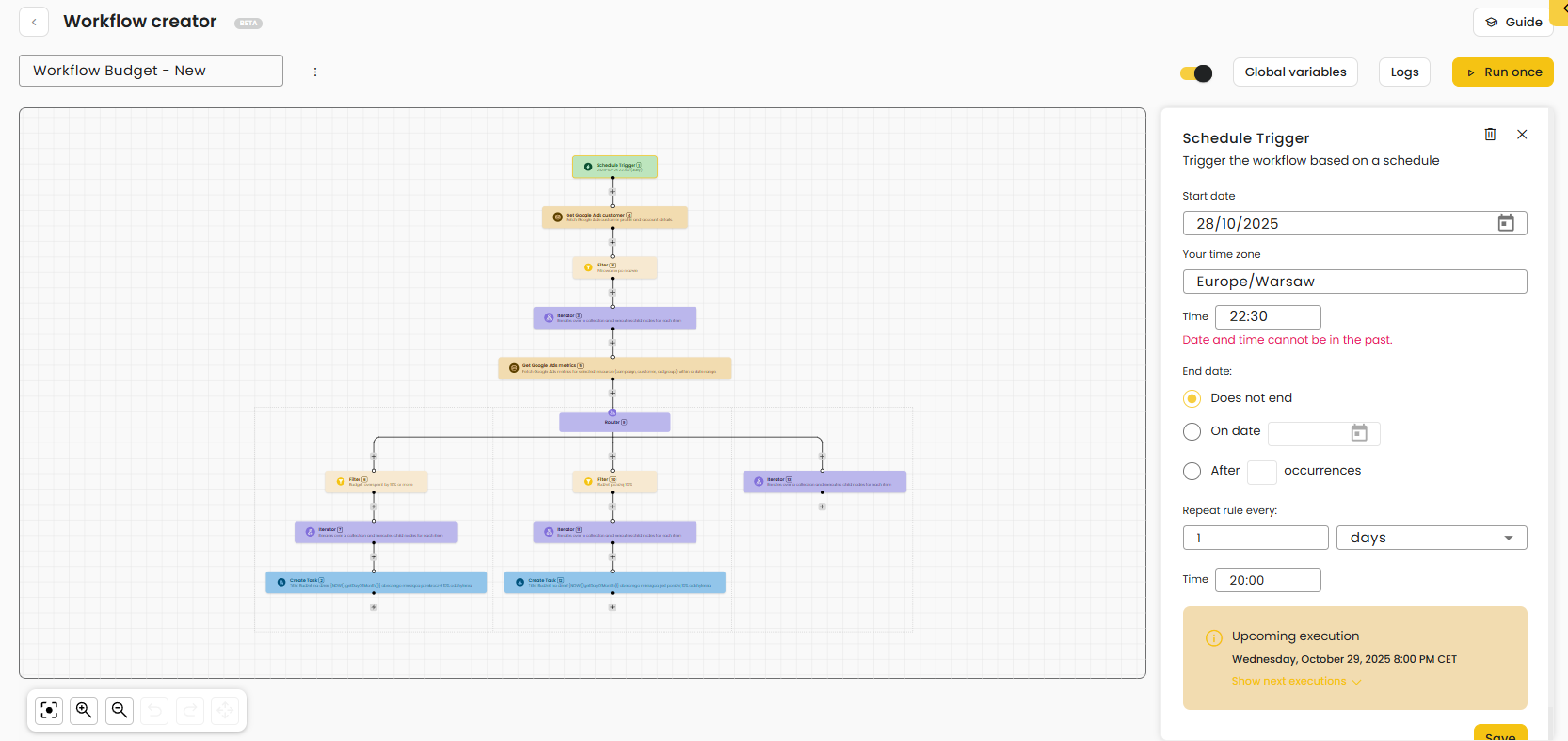
For selected steps, configuration is completed in the panel on the right-hand side (e.g., schedule settings for a trigger).
Was this article helpful?
That’s Great!
Thank you for your feedback
Sorry! We couldn't be helpful
Thank you for your feedback
Feedback sent
We appreciate your effort and will try to fix the article