What is the cancellation process after the free trial?
Created by Aneta Węglarz, Modified on Fri, 27 Feb at 3:51 PM by Aneta Węglarz

What is the cancellation process after the free trial? 


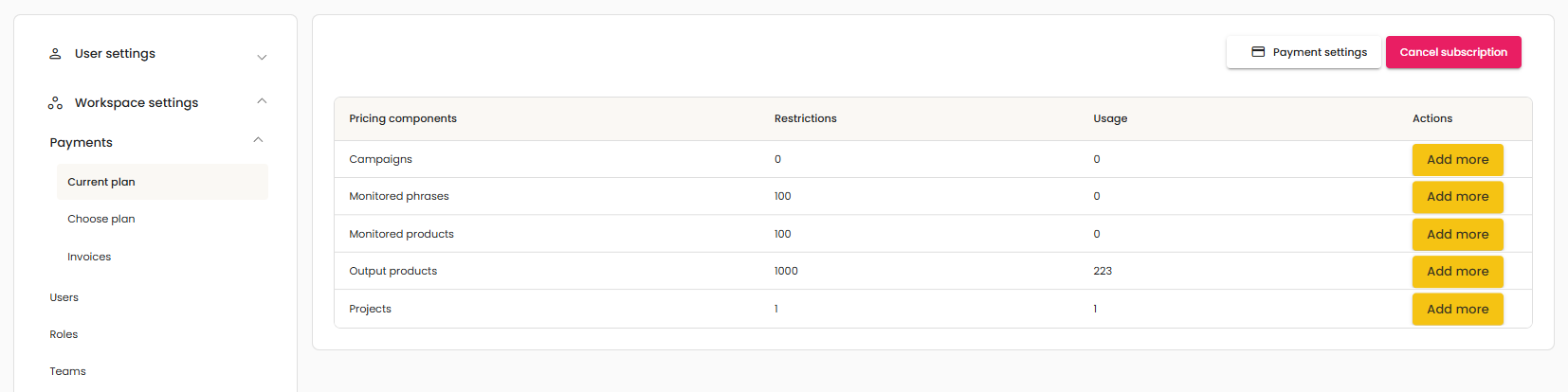
If no card was added and no paid plan was selected during the trial, the subscription will end automatically when the trial period finishes—no action is needed. If a card was added and/or a plan was selected, to cancel the subscription before the end of the trial, open the profile menu in the top-right corner and select Workspace settings. Then go to Payments, open Active package, and click Cancel subscription in the top-right corner.


Only the email address with the active subscription has access to the Payments section. If someone can’t see Payments, it means they are added as  user.


Was this article helpful?

That’s Great!

Thank you for your feedback

Sorry! We couldn't be helpful

Thank you for your feedback

Let us know how can we improve this article!

Select at least one of the reasons
CAPTCHA verification is required.

Feedback sent

We appreciate your effort and will try to fix the article